Help Center
Get help with DialectForge VPN
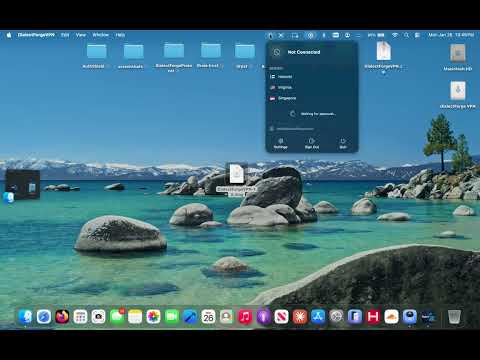
How to Connect on macOS — 15 sec
Watch the quick setup walkthrough
Getting Started
How do I connect to the VPN?
1. Open the app and sign in
2. Select a server (Helsinki, Virginia, or Singapore)
3. Tap the Connect button
4. Allow VPN permission when prompted
5. You're protected! The shield icon will turn green.
Which server should I choose?
Choose the server closest to you for best speed:
• Helsinki: Europe, Middle East, Africa
• Virginia: North & South America
• Singapore: Asia-Pacific, Australia
How many devices can I use?
Your subscription allows multiple registered devices. You can manage them in Settings → Registered Devices. Toggle devices on/off as needed.
Connection Issues
VPN won't connect
Try these steps:
1. Check your internet connection
2. Try a different server
3. Toggle airplane mode on/off
4. Force quit and reopen the app
5. Check Settings → VPN to ensure DialectForge is allowed
Connection drops frequently
This usually indicates network instability. Try:
• Switching to a closer server
• Moving to a stronger WiFi signal
• Using cellular data instead of WiFi
Slow speeds while connected
VPN adds some overhead, but speeds should still be good. Try:
• Selecting a server with lower load percentage
• Choosing a geographically closer server
• Testing at different times of day
Account & Billing
How do I reset my password?
On the login screen, tap "Forgot Password?" and enter your email. You'll receive a reset link within a few minutes.
How do I cancel my subscription?
Go to your iPhone Settings → Your Name → Subscriptions → DialectForge VPN → Cancel Subscription. You'll keep access until the end of your billing period.
How do I restore my purchase?
In the app, go to Settings and tap "Restore Purchases". This will restore your subscription if you've reinstalled the app or switched devices.
Can I get a refund?
Refunds for App Store purchases are handled by Apple. Visit reportaproblem.apple.com to request a refund.